Rebook due
Tap Rebook due at checkout and your rebooking workflow sends the reminder at the right interval.
The quick touch-up
GHL contact quick actions add a floating bar to every contact page with one-tap tags and buttons. A tap adds or removes a tag, so the workflow listening for it starts at once; a button can also open a short form that writes straight into custom fields, such as a color formula or the next visit date.
Live in the mirror
Salon-style chips and an Update formula form on a sample contact. Drag the bar by its grip.
Style card
Loading the live preview…
A color per tag This is the real bar with salon-style chips. Tap a tag, open Update formula, or drag the bar by its grip. Nothing is saved in the preview; inside GoHighLevel the contact updates at once.
On the salon floor
Tap Rebook due at checkout and your rebooking workflow sends the reminder at the right interval.
A button opens a short form for formula, developer and next visit date, saved to custom fields.
One tap after a great appointment starts the review request workflow.
Before the chair, after the chair
Adding the right tag in stock GoHighLevel means opening the tag field, typing, picking, and hoping nobody misspelled it. Between clients, that is too slow, so it does not happen and the rebooking text never goes out.
What is in the kit
One-tap chips for the tags you use most. Each chip shows whether the contact already has the tag.
A button can add, remove or toggle tags, so one press starts the workflow that listens for that tag.
Text, number, date, drop-down, email, phone or link fields, each mapped to a custom field.
Set the confirmation shown when a tag is added or removed, per chip or for all of them.
Optionally log which tag changed, which field changed and who did it.
6 starting positions, and people can drag the bar wherever suits them.
Your appointment
These steps happen inside your own GHL Customizer account after you have your login. You do the styling; nobody needs your GoHighLevel password.
In the Contact actions tab, add the tags and buttons your team needs, with colors, icons and messages.
Point each button at the tags your GoHighLevel workflows listen for, or at the custom fields a form should fill.
The bar appears on every contact page, in the sub-accounts you chose, on the next page load.
Questions at the chair
Straight answers about contact actions bar: what it changes in GoHighLevel, what it leaves alone and which package includes it.
They are a floating bar on each GoHighLevel contact page with one-tap tag chips and buttons. Tapping adds or removes a tag, which can start a workflow, and buttons can open short forms that save into custom fields.
Cut & Colour ($357 one-time) and Full Makeover include it.
Yes. The bar adds and removes tags or fills fields; your existing GoHighLevel workflows decide what happens next, such as a rebooking text or a review request.
Yes. Tags and field values appear on the contact page straight away. If GoHighLevel refuses a change, the bar shows the error.
Yes. Each chip or button can show everywhere or only in the sub-accounts you list.
Yes. Switch on notes and each action adds a note naming the tag or field that changed and the user who did it.
No. The preview runs on a sample contact page. Inside GoHighLevel the real contact updates at once.
Yes. They can drag it by its grip, and it remembers the spot.
The price list
Contact actions bar start at Cut & Colour. Each package is a GHL Customizer account you pay for once and keep: login emailed within minutes (max 24 hours), then you style GoHighLevel yourself.
See everything each package includes or go back to the GHL Style Customizer overview.
Customizer price list
One-time payment, lifetime access. Login emailed within minutes (max 24 hours). Compare every package
Pairs well with
The customizer changes how GoHighLevel looks. The Salon Snapshot is the automation inside it: appointment reminders and no-show recovery, review harvesting and rebooking. Neither needs the other, and together the CRM looks and works like your salon.
Finish the look
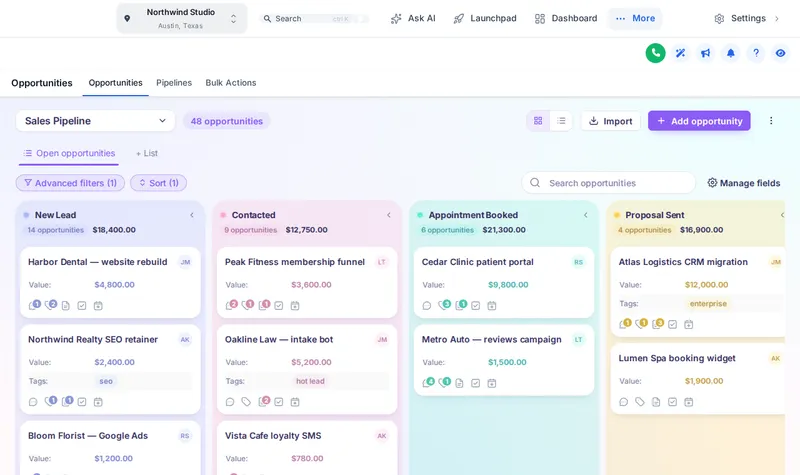 Pipeline boardsGHL pipeline customization without touching your stages: 12 board designs with stage colors, deal cards and toolbar styles. Try each one live.
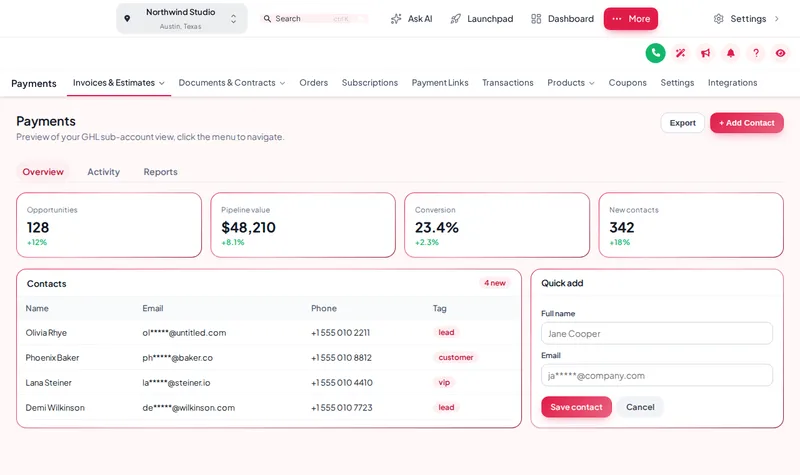 Menu layoutsBuild a GHL custom menu: sidebar, top bar or icon rail, 8 mega menu styles and a floating quick menu. Preview it live and set it up yourself.
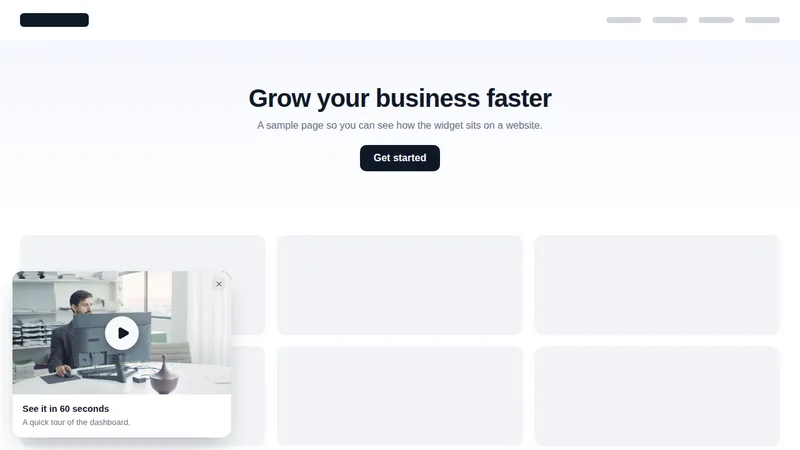 Social proofGHL social proof notifications and widgets: 94 templates across 32 types, from review badges to video cards and NPS. Try them live.
Ready for the chair?
Put rebooking, formulas and review requests on every contact record, connected to the workflows you already run.
Login emailed within minutes (max 24 hours) · One-time payment, lifetime access · Secure payment by Stripe
Choose which cookies Salon Snapshot may use. Essential cookies keep the site working and can't be switched off.