Stage colors by position
The first stage takes the first color, the second the next. Nothing depends on stage names, so any pipeline works.

The sectioning
GHL pipeline customization here means restyling the opportunities board, not rebuilding your pipelines. Pick one of 12 board designs and each stage gets its own color, deal cards get a stripe or dot, and values stand out, while your stages, automations and drag-and-drop stay exactly as they are.
Before the chair, after the chair
A booking pipeline might run from New inquiry to Consult booked, Color appointment, Rebook due and Lapsed. On the stock board those lanes are identical grey columns, and the guest who needs a nudge hides in plain sight.
Live in the mirror
Candy Pastel is loaded first. Click through all 12 boards on the sample pipeline.
Style card
Loading the live preview…
Candy Pastel A copy of the GoHighLevel opportunities board with a sample pipeline. Stage colors follow column position, so your own stages pick them up whatever you call them.
What is in the kit
The first stage takes the first color, the second the next. Nothing depends on stage names, so any pipeline works.
Headers as cards, tinted, filled or underlined, with deal counts as text or a badge.
Background, border, radius, shadow, a stage stripe or dot, and three densities from compact to roomy.
Cards never move on hover, so dragging a deal to the next stage is as precise as stock GoHighLevel.
Deal value in bold and in the stage color, with your own colors for names, labels and values.
Light boards on solid, gradient or mesh backgrounds, and 2 dark boards.
On the salon floor
Give the Rebook due lane a warm color so the front desk sees who to text before the day starts.
Trials, deposits and wedding-day stages that read clearly when the season gets busy.
Your own pipeline for selling salon clients, styled to match the rest of your brand.
Your appointment
These steps happen inside your own GHL Customizer account after you have your login. You do the styling; nobody needs your GoHighLevel password.
Open the Opportunities tab in the editor, switch the restyle on and click a template.
Keep the template stage colors, build them from your brand color, or set each one yourself.
Every sub-account board picks up the design on its next page load. No pipeline settings change.
Questions at the chair
Straight answers about pipeline boards: what it changes in GoHighLevel, what it leaves alone and which package includes it.
No. The customizer restyles the opportunities board in the browser. Your pipelines, stages, triggers and workflows stay exactly as they are.
Cut & Colour ($357 one-time) and Full Makeover include all 12 board designs.
By column position. The first stage takes the first color, the second the next, and the palette repeats after the last one, so renaming a stage never breaks the colors.
Yes. Cards do not move on hover, so drag and drop works exactly like stock GoHighLevel.
Yes. The toolbar, the board view and the list view are all styled by the design you pick.
Yes. Keep the template palette, build one from your brand color, or choose every stage color yourself.
Yes. The design applies to whichever pipeline is open, because it follows column order rather than names.
No. The board works the same way; it just reads more clearly.
The price list
Pipeline boards start at Cut & Colour. Each package is a GHL Customizer account you pay for once and keep: login emailed within minutes (max 24 hours), then you style GoHighLevel yourself.
See everything each package includes or go back to the GHL Style Customizer overview.
Customizer price list
One-time payment, lifetime access. Login emailed within minutes (max 24 hours). Compare every package
Finish the look
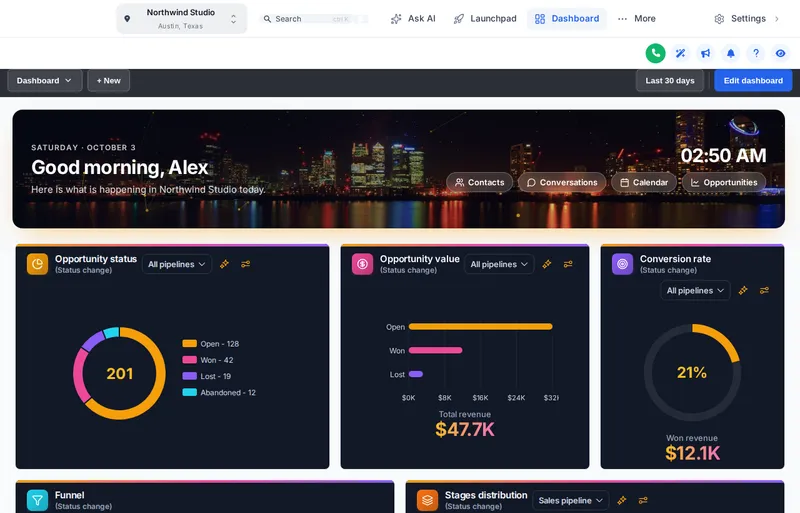 Dashboard designsPick a GoHighLevel dashboard design from 18 templates: welcome banner, live clock, photo backgrounds and chart colors. Try them live on a sample.
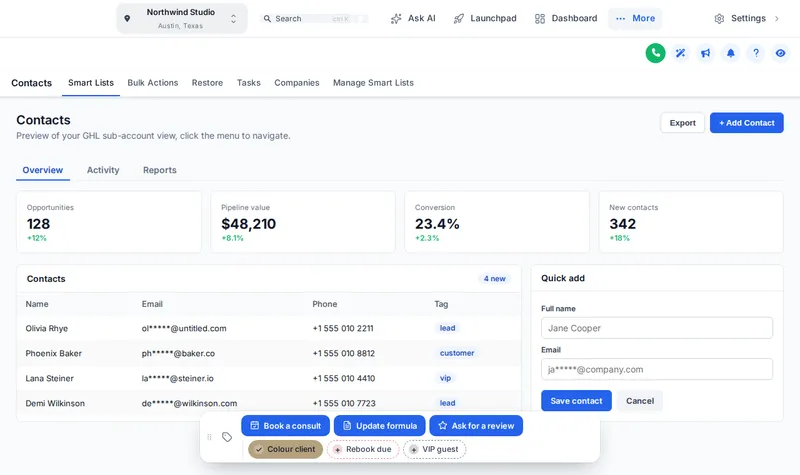 Contact actions barGHL contact quick actions put one-tap tags and workflow buttons on every contact record. Try the real bar with salon tags, then build your own.
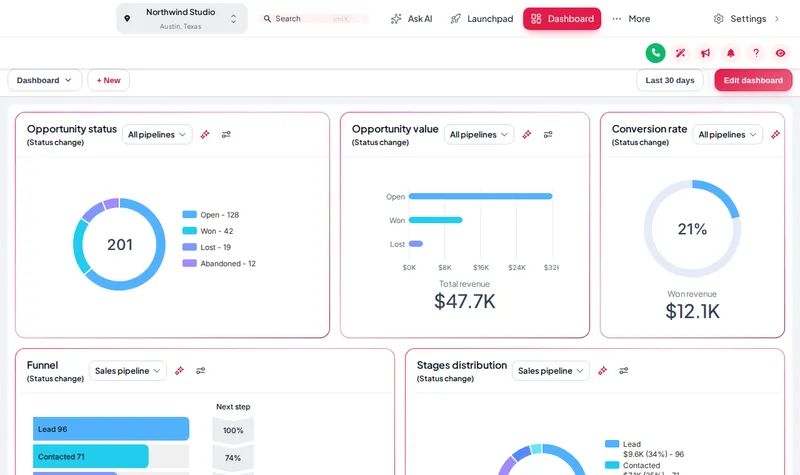 Themes and dark mode27 GoHighLevel white label themes, 11 UI kits and dark mode. Try them live, then restyle your salon CRM yourself from $147 one-time.
Ready for the chair?
Restyle the opportunities board without touching a single stage or automation.
Login emailed within minutes (max 24 hours) · One-time payment, lifetime access · Secure payment by Stripe
Choose which cookies Salon Snapshot may use. Essential cookies keep the site working and can't be switched off.